Aroma - An AIR Recipe Manager
Version 2.5.0, Updated March 15, 2014
- Compatibility: AIR 3.6 and later (ActionScript 3.0)
- File Size: About 1100Kb
- Change Log
Download Now (2.5.0)
You need to upgrade your Flash Player
This site requires atleast version 9.

This site requires atleast version 9.

What's New
- Updated to AIR 3.6
- Updated expired AIR Signed Certificate
Description
Aroma - helping answer the age-old question of "What's for dinner." Whether you're sharing a recipe, or looking for a quick and easy dinner idea, this is where inspiration comes to life!
Store all your favorite recipes in one spot. Aroma has many search options, allowing you to quickly and easily find the perfect recipe for any occasion. Choose from a variety of search options, to include: recipe name, ingredient, or author. Once you've found the perfect recipe, Aroma conveniently allows you to print.
Use Aroma to store and share your favorite recipes. Get started by clicking the Install Now link above.
Bon Appetit!
Features
- Scalable UI
- Drag-n-Drop support - Drag and drop .rcpe files to import them into your recipe list.
- Export recipes - Export recipes as .rcpe files.
- Import recipes - Import .rcpe files by dragging them into Aroma.
- Print Recipes - Can print recipes in 3x5, 4x6 or full page formats. You can select multiple recipes from the list on the left by holding down "Shift" or "Ctrl" when clicking.
- Auto-update capability
- Sortable List - Sort by name or by rating
- Searchable Recipes - Search through your recipes by name, ingredient, author, category or source. Searching by ingredient is VERY useful. When all you have are leftovers, it's easy to see what recipes could use them.
- Recipe Images
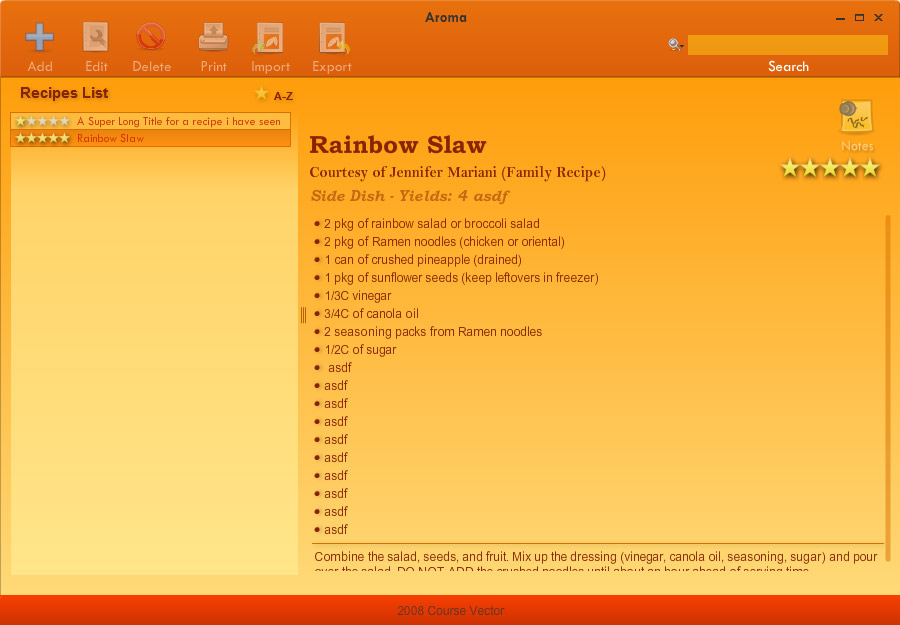
Default UI
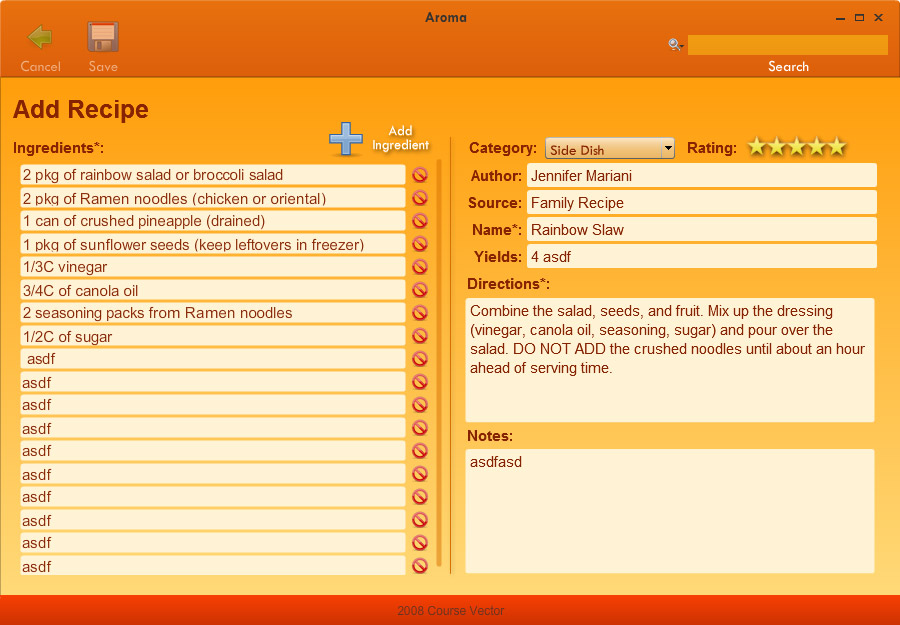
Add / Edit Screen
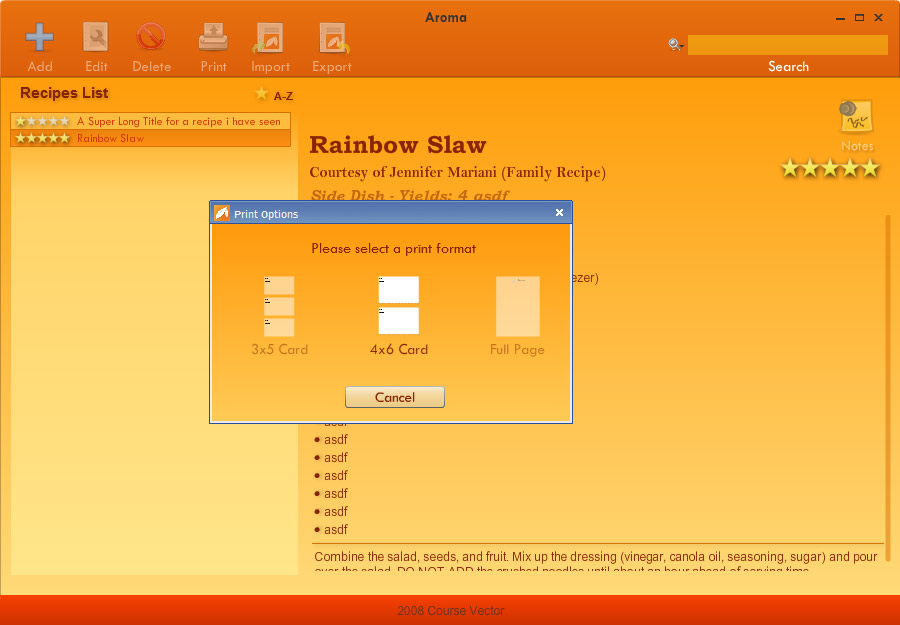
Print Options
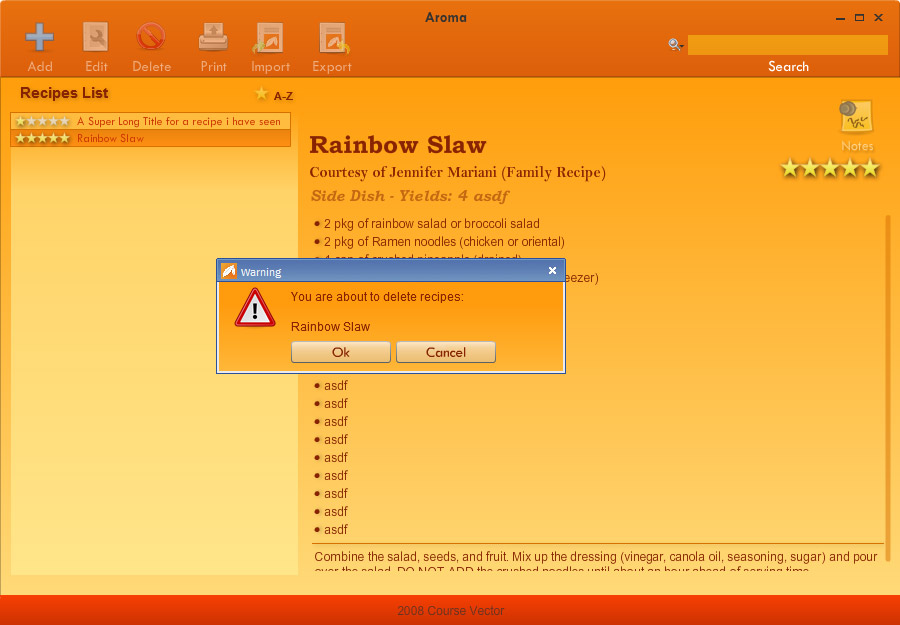
Delete Warning
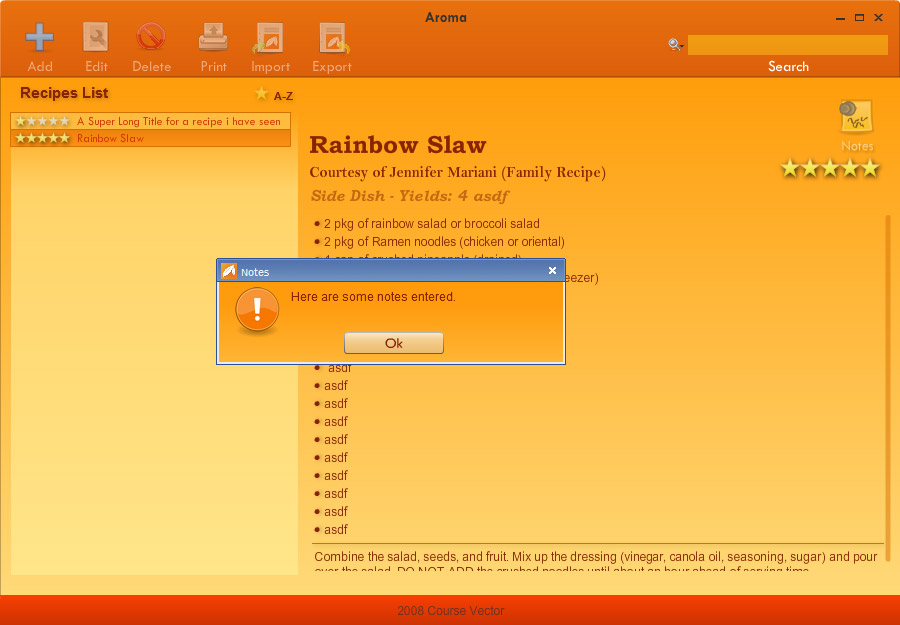
Notes Popup
Usage
- Open Aroma.
- A recipe will be add by default. You can edit or delete this recipe whenever you feel like it.
- To add a recipe, click "Add" at the top. This will bring you to the Add/Edit screen.
- Enter the required details, and add at least one ingredient to the recipe.
- Click "Save" at the top and you've added your first new recipe to Aroma.
- Select any recipes from the left and click on "Edit" at the top to edit that recipe.
FAQ
- Where are all my recipes stored?
All the recipes Aroma saves are stored in a .ckbk (CookBook) database file located in your "My Documents" folder.
So on a PC it would be located here:C:\Documents and Settings\userName\My Documents\Aroma Recipes\recipes.ckbk.
On a Mac it would be here:/Users/userName/Documents/Aroma Recipes/recipes.ckbk. - How do I export a recipe?
Select the recipe (one at a time) on the left list and click on the "Export" button at the top. Name the recipe whatever you want, and click save. - How do I import one or more recipes?
Select all the .rcpe files you may have received from a friend and drag and drop them into the main screen and they will automatically be added to your cookbook. You may also click on the "Import" button at the top to open a dialog box where you can select a recipe to import. - How do I add a note to a recipe?
When you are adding or editing a recipe, there is a "Notes" section on the bottom right of the screen. Any text entered here will cause a Notes icon to appear when you are viewing your recipe. Clicking on the Notes icon will open a popup with the notes you entered.
Change Log
Aroma 2.5.0 for Adobe AIR 3.6 (March 15, 2014)
- Updated to AIR 3.6
- Updated expired AIR Signed Certificate
Aroma 2.4.0 for Adobe AIR 1.5 (May 18, 2010)
- Added a Random recipe button
Aroma 2.3.1 for Adobe AIR 1.5 (January, 13, 2010)
- Fixed word wrapping on recipes with images
- Fixed word wrapping on printed recipes
Aroma 2.3.0 for Adobe AIR 1.5 (February, 02, 2009)
- Updated to use AIR 1.5
- Updated and cleaned up UI
- Added support for pictures in recipes
- Popup for save errors
- Popup to ask to save changes if any
- Popup when image clicked for close up
- Added corner drag button
- Fixed removal of ingredients too fast caused them to overlap
- Fixed minor UI glitches
- Fixed selecting first recipe in a sorted list
- Fixed Update window
- Fixed - Ingredients were multiline by accident
Aroma 2.2.2 for Adobe AIR 1.0 (January, 11, 2009)
- Add return to add new ingredient
- No error on empty ingredients, automatically deletes them
- Added about window
Aroma 2.2.1 for Adobe AIR 1.0 (January, 10, 2009)
- Fixed save issue if you had an empty ingredient
Aroma 2.2.0 for Adobe AIR 1.0 (August, 27, 2008)
- Added popup to determine print type
- Moved cancel and save to header
- Add import/export button
- Fixed EDIT_SAVE, EDIT_CANCEL duplicate bug
Aroma 2.1.1 for Adobe AIR 1.0 (August, 19, 2008)
- Changed edit ingredients from scrollpane to scrollbar and sprite
- Fixed - Added hand cursor to sort/star button
- Fixed - Recenter grab bar on resize
- Fixed - Resize print 3x5
- Fixed - Added hand cursor to delete ingredient button
- Fixed - Select first recipe in recipe list
- Fixed - Fix focus on ingredient textfield
Aroma 2.1.0 for Adobe AIR 1.0 (August, 19, 2008)
- Drag-n-Drop import/export added. Drag a recipe from the list to the desktop to export. Drag a .rcpe (recipe) file from the desktop into Aroma to import
- Can now print fulle page, 4x6 and 3x5 card formats, although currently only 3x5 is enabled
- Fixed how star sorting is represented, a 1-5 is now displayed when star sorting is enabled
- Swapped position of Category dropdown and rating in the Edit menu
- When adding ingredients, the newest one automatically gains focus
Aroma 2.0.4 for Adobe AIR 1.0 (August, 12, 2008)
- Added splitter bar
- No longer hides "Appetizers" on food category
- Displays stars in recipe list
- Can sort recipes in list alphabetically or by stars
- Correctly resizes recipes without cutting off text
Aroma 2.0.3 RC1 for Adobe AIR 1.0 (August, 3, 2008)
- Changed program name
- Fixed ' " errors when used in recipes
Aroma 2.0.2 B3 for Adobe AIR 1.0 (July, 16, 2008)
- Updated icon again
- Fixed button consistancy
- Fixed Ingredient (edit screen) cropping
- Database connection/error repoting and handling
Aroma 2.0.1 B2 for Adobe AIR 1.0 (July, 15, 2008)
- Unknown
Aroma 2.0.0 B1 for Adobe AIR 1.0 (June, 23, 2008)
- Added Auto-Update
- Complete over-haul and internal re-organization
- Recipe Rating
- Form validation
Aroma 1.0.0 for Adobe AIR 1.0 Beta
- Initial release.